Your people’s recipes,
live in your box.
Bloomy is a recipe box you share. Import from a link or a photo of a cookbook page, scale the servings, plan the week, and shop from one list that ticks off live.
A circle is the people you swap recipes with — your sister, your college friends, whoever makes the good braise. Their recipes land in your box under their name, and when they fix the recipe your copy fixes itself. They never see your week or your shopping list.
Joining a circle is a link you can text. Keep as many as you like.

Potato Skins
1 hr 50 min · Serves 6 · Easy
- 6small russet baking potatoes
- 3 tbspolive oil
- 1 cupsharp cheddar, shredded
- 8 slicesbacon, cooked and crumbled
- ½ cupsour cream
Try the stepper — the quantities are live.
Free means free. Unlimited recipes, imports and photos. Scaling, prep charts and cook mode. Meal planning, the shared shopping list, households and circles, synced across your devices and the web. A subscription changes one thing: how much of the cloud AI you can use.
How a circle works
Recipes only · read-onlyText them a link
No codes to type, no invites to accept in an inbox. It opens the app and names what they're joining.
Their recipes appear
In your box, under their name, searchable next to your own. Nothing you have to save or copy.
Theirs stays theirs
They tweak the roux, you see the tweak — you always have their latest. Want to change it yourself? Duplicate it into your box and that copy is yours.
A circle never sees your shopping list or your week — that’s the whole point of it being separate. Your sister three states away wants the braise. She does not need your groceries.
And a household, for the two of you who actually shop.
The people in your kitchen share more than recipes — so a household adds the week and the list, live on both phones.
- The week's dinners, planned together
- Takeout and Eat out are one tap — a real week has those in it
- One shopping list, ticking off live at the shop
- Staples you re-buy — added once
A circle isn’t a feed.
It’s your box, with more in it.
Shared recipes are filed alongside yours, searchable together and marked with who brought them. Your week and your shopping list stay with your household — a circle never sees either.
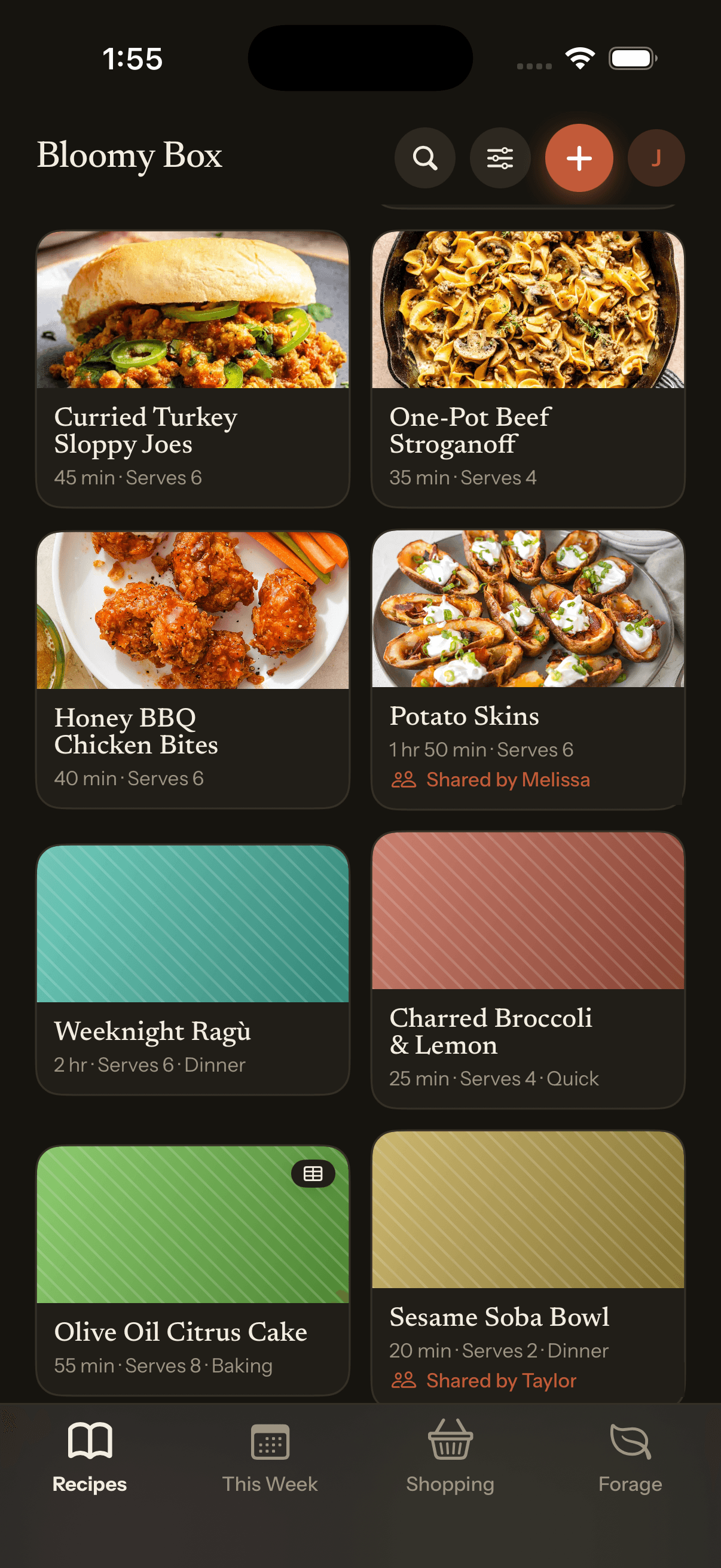
Your box
Yours and your circles' recipes, filed together and searchable as one. The shared ones say who brought them.
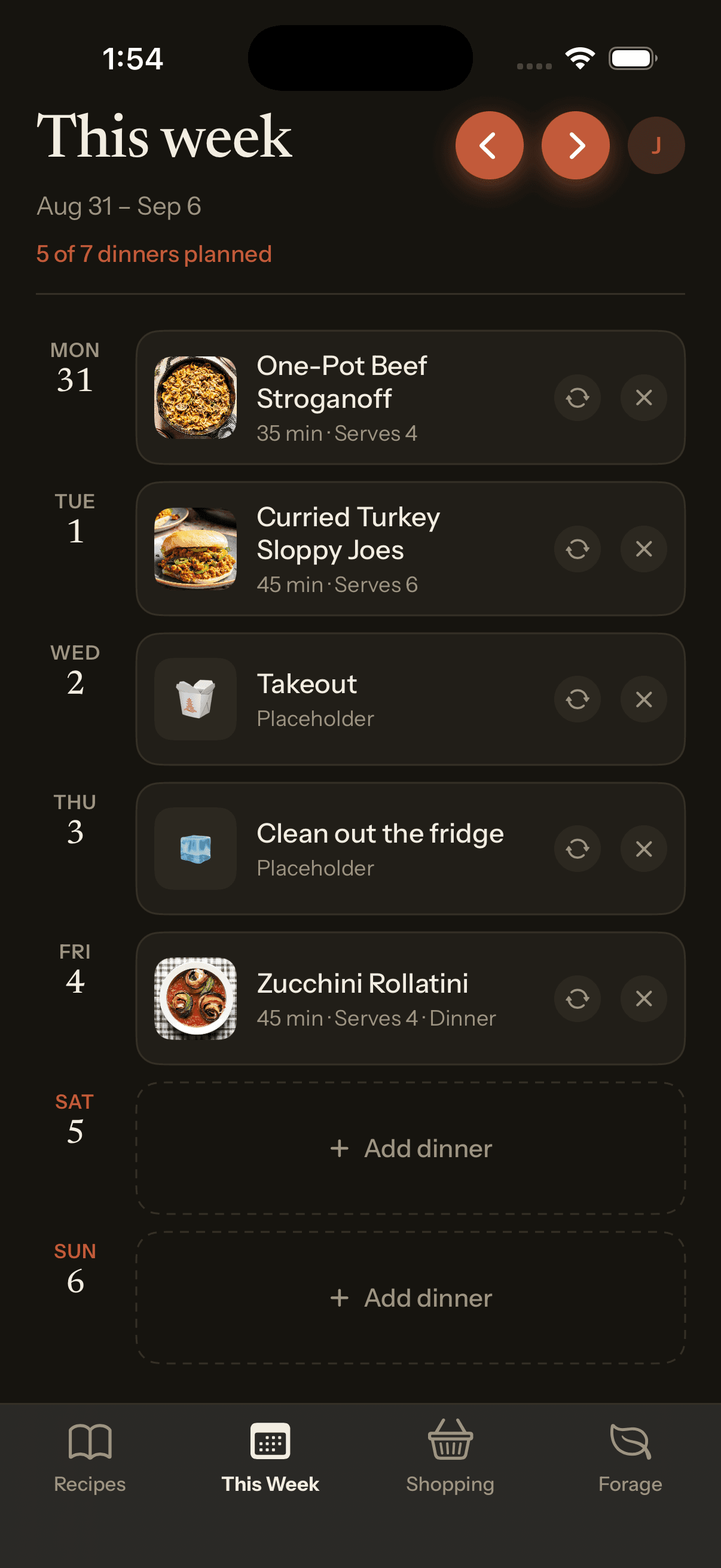
This week
Household only. Drop in dinners, or a Takeout night — a real week has those in it.
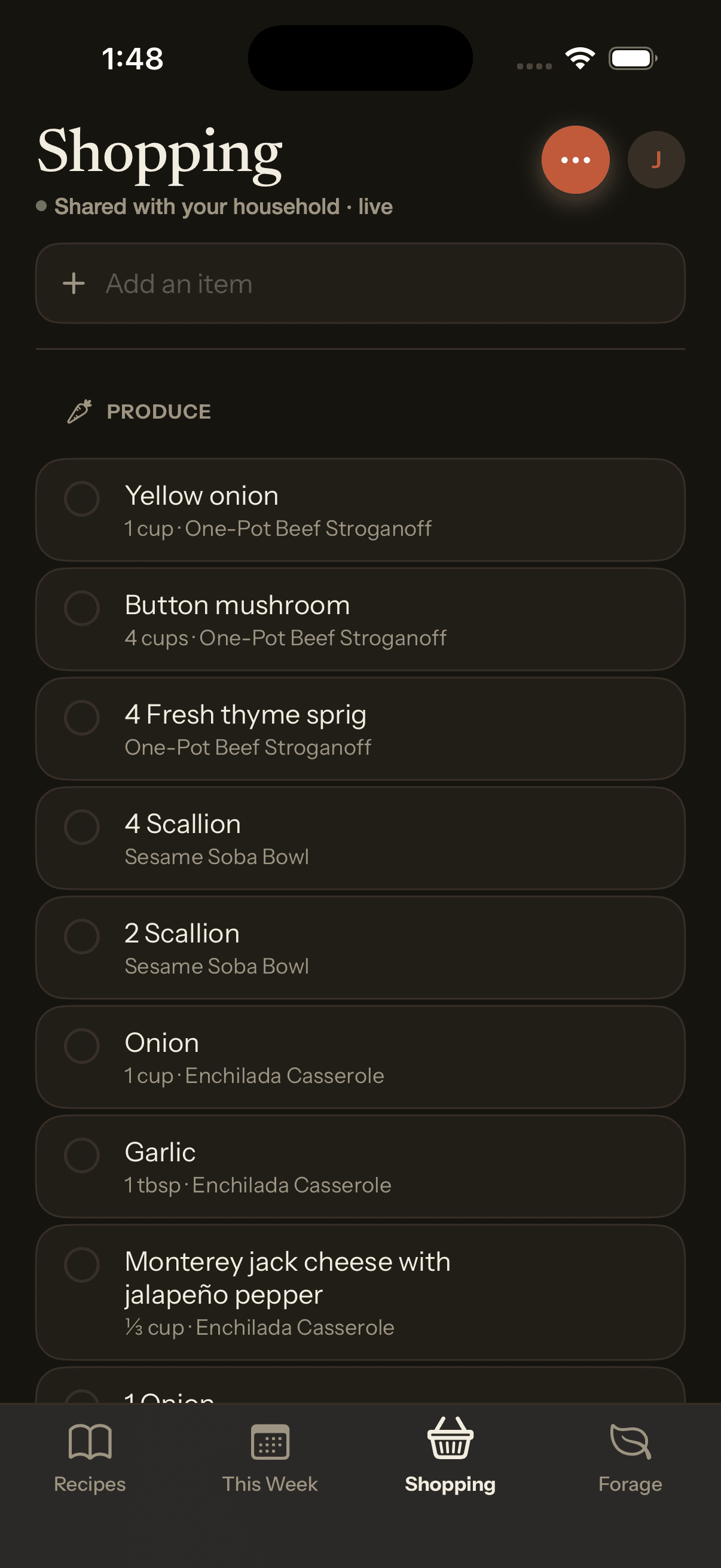
Shopping
Built from the week, grouped by aisle, and ticking off live on both phones while one of you is at the shop.
Prep without scrolling
back and forth.
Bloomy groups the ingredients by the step you use them in, so you can see everything to chop, measure and combine before you start — instead of reading the method and the ingredient list in two places at once. Every recipe already has one; it is the same recipe, one tap away.
Useful for a long recipe, and for the ones you cook with someone else: two people can take a column each.
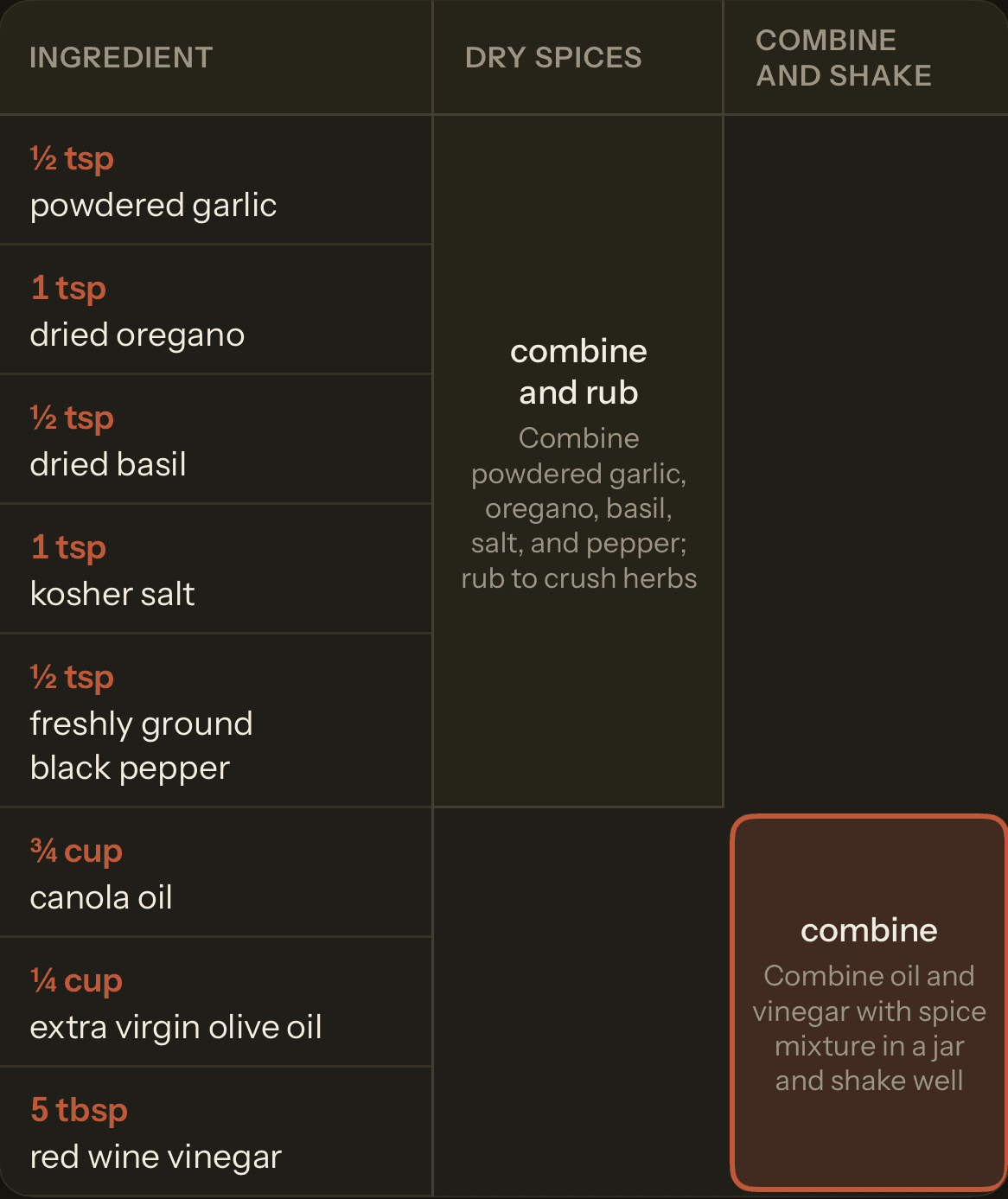
Actual screen — merged cells carry the step.
Every recipe, on your
household’s terms.
Generate draft ideas for Melissa’s potato skins, then edit and review the ingredients and method yourself. Save your reviewed version to Try, linked to the original. Hers stays exactly as she wrote it.
Generating draft ideas uses cloud credits — 13 credits, against 1 to tag a recipe and 2 to divide one into phases. The free plan is 100 credits a month and Bloomy Plus 450. Everything else in the app works without them.
Potato Skins, gluten-free
Illustrative draft ideas · not yet applied or reviewed
Illustrative substitution ideas. Check product labels and apply suitable changes during recipe review.
Pick a lens to preview ideas. Generation starts only when you request it in the app.
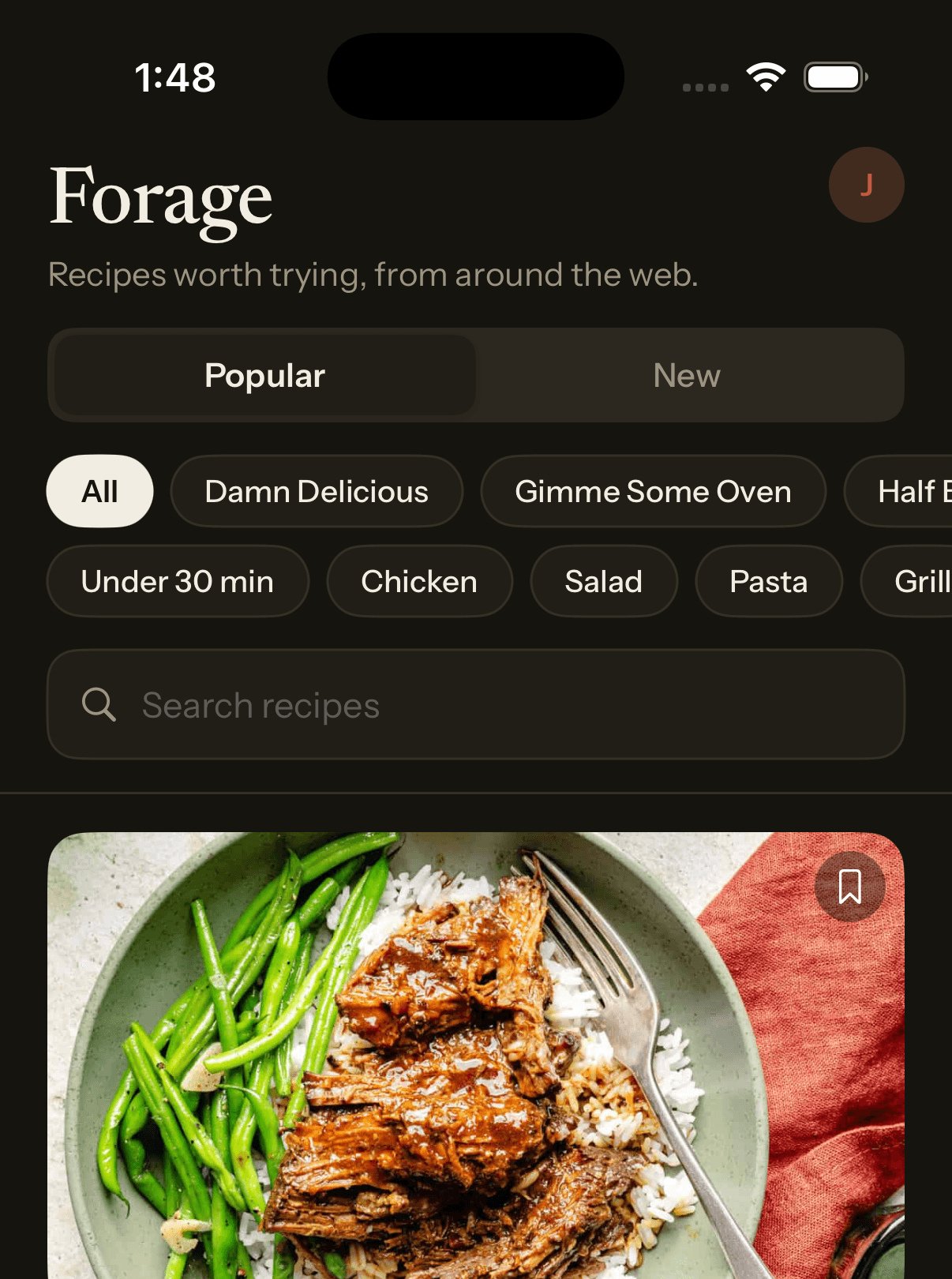
Actual screen — save straight to your Try list.
An empty box is
not a problem.
Day one, before you’ve imported anything or joined a circle, Forage has something worth cooking tonight — recipes pulled from the sites people actually cook from, filtered by what you feel like. Save one to your Try list and you’re started.
Nothing here is generated. It’s real recipes from real sites, credited, opening in full when you save one.
Pricing
The recipe box is free — importing, scaling, planning, sharing, all of it. The only thing a subscription changes is how much of the cloud AI you can use. Credits are priced by what a job costs us: reading a recipe off a link, tagging it, or rewriting it for a diet are not the same amount of work. When the month’s credits are gone, every other part of Bloomy carries on exactly as before.
Free
Everything the app is for.
$0
- Unlimited recipes, imports and photos
- Servings scaling, prep charts, cook mode
- Meal planning and the shared shopping list
- Households and circles — sharing is not a paid feature
- Sync across your devices and the web
- 100 Bloomy Cloud AI credits a month — a tag costs 1, dividing a recipe into phases 2, an import 8, an adaptation 13
- A typical month — 5 recipes imported, phases on each, 10 tagged and 2 adapted — comes to 86
- Unlimited on-device AI, which never expires
Bloomy Plus
OptionalFor heavier use of the cloud model.
$3.99/ month
or $39.99 a year — cheaper than twelve monthly payments.
- Everything in Free
- 450 Bloomy Cloud AI credits a month, up from 100 — about 5 months like that one, or 34 adaptations if that is all you use it for
- Cancel any time in the App Store — nothing you saved is taken away
You can also bring your own Anthropic API key in Settings and skip the allowance entirely.
Questions
Do I need an account?
Not to cook on your phone or iPad — recipes work there without signing in. Sign in to sync between devices, share a box with other people, or use Bloomy in a browser, since the web has nowhere to keep a box but your account.
How do I sign in?
Sign in with Apple or Google. There is no Bloomy password to create or forget.
Can I use it on a computer?
Yes — the web app is the same box as the phone. Sign in and your recipes, week and shopping list are there.
Where do imported recipes come from?
Whatever you point it at: a link you paste, a page you share from another app, a photo of a cookbook page, or typing it yourself. Bloomy keeps a link back to the source.
What happens to my recipes if I stop paying?
Nothing. Plus only changes a monthly AI allowance — your recipes are yours, and every part of the box stays free.
Is my recipe box private?
Yes. Nothing is public unless you deliberately share it, and a household or circle only ever contains the people you invited.
Put the box where everyone can reach it.
Bloomy runs in your browser today. iPhone and iPad are in beta, and invites go out from the list at the top of this page.